
What Design Tools Are Used For Printed Circuit Board Prototypes?
Printed Circuit Board Prototypes
When you think of tools, images such as hammers or welding equipment usually come to mind. However, when it comes to PCB design and layout, there are many different types of tools available. These include physical tools such as stencils and soldering stations, and electronic software for generating Gerber and Excellon files.
Printed circuit board design and layout are complex tasks that require careful planning to ensure error-free prototypes and a flawless manufacturing process. The right tools and software help to make this process more efficient and precise. In addition to reducing the time and cost of manual methods, PCB design software also increases the accuracy of the final product.
The first step in creating a printed circuit board prototype involves the creation of the schematic diagram, which is a visual depiction of the connections between components. Schematic capture tools are software that enable you to create these schematics using a graphical interface. These tools are used by both experienced and new designers alike.
Once you’ve completed the schematic, the next step is to create a PCB layout. The purpose of this is to place all the components on the circuit board and define their electrical connectivity. This requires careful consideration of the dimensions and physical placement of each component to prevent interference and improve signal integrity. Creating the layout is also a time-consuming process that requires attention to detail.
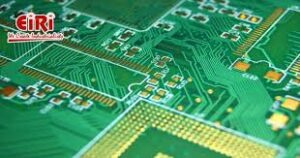
What Design Tools Are Used For Printed Circuit Board Prototypes?
To begin the process, you must prepare a copper-clad substrate by cleaning it and applying a photoresist to the areas where your design will be placed. Exposure to UV light hardens the photoresist, allowing you to remove it and reveal the copper underneath. You can then use an etching solution to remove the exposed copper, leaving behind the design traces. Once the board is etched, you can drill holes for the component leads and solder them in place.
PCB manufacturing is an expensive process that requires a significant investment of materials and labor. This is why it is crucial to ensure that your design is accurate before making the commitment to produce a prototype. The best way to do this is by using a PCB design tool that performs design rule checking and verification. This helps to catch common errors such as open circuits, unconnected pins, short circuits, and component orientation violations, which can result in faulty prototypes and signal integrity issues in finished products.
There are a number of popular tools for PCB design, including EAGLE, PADS, and DipTrace. Each offers unique features that suit a range of user requirements. EAGLE, for example, provides an integrated design environment that includes a schematic capture editor and BOM management tools. This makes it easy to collaborate between mechanical and electronics engineers on a single design.
Other tools for PCB design include Cadence Allegro, which is a fully scalable platform that supports high speed design. It also has advanced capabilities for power, thermal, and signal integrity analysis. Another great choice is Mentor Graphics Xpedition, which balances high-performance design capabilities with usability for users of all experience levels.

What’s Behind Israel’s Crackdown in the West Bank?

What the Murder of the UnitedHealthcare C.E.O. Means to America

Have the Democrats Become the Party of the Élites?
About The Author
